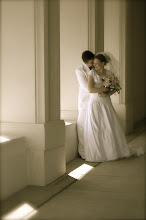
I had a lot of fun working on this project this week. First I took three photos of the same scene. I shot one photo where the camera said to meter, then I under-exposed one shot and over-exposed the other shot. Then I downloaded the free DynamicPhoto trial program. With that program I combined the three images and added some filters. After all - if you're going to edit a photo on the computer you should go all the way and make it look really edited. See post above this one for photo information.
Here's the first one I did. I applied just the Eye-Catching filter to this one.
These two photos are the same except for the filters on them. The right one has the Eye-Catching filter and the left one has a high contrast filter. I liked parts of both of these so I then combined them together and got this
I also added the Eye-Catching filter to this one and burned the edges a little in Photoshop to give the pictures kind of a Holga camera look. Holga cameras are $20 film cameras with only three focus settings and two lighting settings (sun or shadow) The film they use is square rather than rectangle, but the edges go blurry and black. I just added the blackish corners to this photo so it's not a true Holga image, but it reminds me of it. I think this bottom image is my favorite.
Photo 1 - Bird of Paradise, Pearl City, Oahu, Hawaii, Photo info - Nikon D50; Shutter Speed 1/80; F stop 5.6; no flash; photo taken 6/23/07
Photo 2 - Daffodil, Rexburg, Idaho Photo info - Nikon D50; Shutter Speed 1/750; F stop 5.6; no flash; photo taken 4/25/09
Photo 3 - Payson Fire, Photo taken from Woodland Hills Utah Photo info - Nikon D50; Shutter Speed about 1 min 45 seconds; F stop 5.3; no flash; photo taken 8/1/08 (remote used for long exposure)
Photo 4 - Sunset, Idaho Falls, Idaho Photo info - Nikon D50; Shutter Speed 1/2500; F stop 6.3; no flash; photo taken 10/1/06
Orange is such an intersting color. I wouldn't say it is my favorite color, just off the top of my head. However, it is a neat color to photograph because so many things are orange. As I was looking for some photos for this assignment to fit the color orange I came up with a lot of different things that fit the color orange - fires, fireworks - flowers - sunsets - fall leaves. Some of these photos have turned out so beautifully and I must admit it is due to the beautiful color orange.
The first and second photographs are both of flowers but are unique. One thing that constitutes this is the time of day the photos were taken. The first photo was taken in the late afternoon and mostly in the shade where as the second photo was taken midmorning in full sunlight.
The fire at night is a photograph I really enjoyed taking. A photograph at night takes quite a bit more work than photographs during the day. You have to play with your shutter speeds more, and you might even have to wait a few minutes for one photograph to be taken & processed. I set my camera up on a tripod and used my remote to release the shutter. I had my husband time me for 1 minute and 45 seconds and then I opened the shutter again. (We tried this at several different times) It is always facinating to me how the camera with a long exposure can capture things our eyes do not quite percieve. The smoke in the air helped the camera capture light from the fire much better than my eyes did.
The last photograph was taken of a beautiful sunset in Idaho falls. I tried shooting just about anything that was available and after trying to get the sunset and some trees to all look good I decided to go with a silhouette shot of the houses and let the sunset shine.
Before Photo - horses in field - unedited - Shutter Speed 1/640; F stop 8; no flash; Taken 5/14/06 After Photo - horse selected using lasso tools and quick select tool then put on white background - edge feathered
Though there are several ways to do a cut out in photo shop I started by using the quick selection tool. I used the different lasso tools, the basic one and the magnetic lasso, to help me get the edges more precise. When I had the selection I wanted I saved the selection so I could come back to it if I wanted to. Then I feathered the edge of the cut out and then copy and pasted the horse onto a new document.